
Services
Strategy
We find the clearest path from what your business needs to what your website should do.
What’s included
- Page strategy
- Landing page strategy
- Site architecture
- Content planning
- Wireframes
- Migration planning




Branding
We shape a distinct visual identity that works on screen first and carries through everything you make.
What’s included
- Visual identity
- Brand refresh
- Colour & typography
- Moodboards & direction
- Brand guidelines
- Digital brand systems
Recent work


Design
We turn the plan into a distinct, usable design that feels right for your brand and works across every screen.
What’s included
- Website design
- UI design
- Responsive design
- Design systems
- Visual direction
- Content presentation


Development
We build fast, reliable websites in Webflow or with custom code, with the integrations each project needs.
What’s included
- Webflow development
- Custom website development
- Custom interactions
- Performance engineering
- CRM & email integrations
- Booking & payments


SEO & AI search
We make your site easy for search engines and AI assistants to find, understand and point people to.
What’s included
- Technical SEO
- AI search & AEO
- Structured data
- Answer-ready content
- Core Web Vitals
- AI crawler access
Optimisation
We keep improving what happens after launch, using real behaviour data to turn more visitors into enquiries.
What’s included
- Conversion optimisation
- A/B changes
- Landing pages
- Copy reworks
- Analytics & heatmaps
- Monthly improvements
Recent work


Latest
The newest posts, across every topic.



Design
Planning and designing websites, and the tools we use.



Development
Webflow, Astro, Claude Code, CMS choices and what builds really take.

SEO & AI search
Getting found in Google and quoted by AI assistants.


Studio
How we run projects, from proposals to launch week.



Webflow pricing: which plan you need
Webflow pricing explained, read 21 October 2026: why Premium suits most businesses, when Team fits a larger SaaS brand, and seats, Localize and Enterprise.
- Written by
 Matthew Bishop
- Published
- Reading time
- 8 minutes
Premium is the best Webflow plan for most businesses: one site plan with the CMS, at US$25 a month billed yearly on 21 October 2026, with one full seat included, then US$39 a month for each extra full seat and US$15 for each limited seat. Team is a great fit for larger B2B SaaS brands whose marketing team has quite a few people working on the site, and the budget for it. Add Localize if the site needs another language or country version.
We build on Webflow as a Webflow Premium Partner. This guide sets Webflow’s own pricing, read on 21 October 2026, against what our clients’ published sites hold. Hosting is the client’s own plan, billed to them by Webflow. The build is a separate cost: a marketing site we design and build is usually $15,000 to $25,000 ex GST (what moves it).
Webflow’s plans at a glance
Prices are in US dollars per site, a month, from Webflow’s pricing page on 21 October 2026.
| Plan | Billed yearly | Billed monthly | What it includes |
|---|---|---|---|
| Starter | Free | Free | A webflow.io address, 2 static pages, 50 CMS items, 1 GB bandwidth |
| Basic | US$15 | US$25 | Your own domain, 300 static pages, no CMS, 10 GB bandwidth, unlimited form submissions |
| Premium | US$25 | US$39 | Basic, plus the CMS: 20,000 items in up to 40 collections, 50 GB bandwidth, site search |
| Team | US$2,500 | Not offered | A site, Workspace and Localize: 500 static pages, 20,000 CMS items, 100 collections, 10 seats, 2 locales |
| Enterprise | Custom | Custom | Priced with Webflow’s sales team |
From webflow.com/pricing, read 21 October 2026. Prices are plus tax. Webflow may show your local currency; these are the US dollar figures it shows by default. Team needs an annual contract. In May 2026 Webflow combined its CMS and Business plans into Premium ([Webflow](https://help.webflow.com/hc/en-us/articles/51059955082387-Updated-pricing-and-simplified-plans-for-May-2026)).
Site plans and Workspace plans
- A site plan belongs to one site. It puts the site on your domain and sets its limits: pages, CMS items and bandwidth. Two sites need two site plans.
- A Workspace is where people work on sites, and where seats are bought. Webflow says you can buy seats without upgrading from the free Starter Workspace (Webflow). Paid Workspace plans, from US$16 a month billed yearly, add staging sites and collaboration tools.
| Seat | Who it’s for | Billed yearly | Billed monthly |
|---|---|---|---|
| Full | Designing whole sites, managing settings | US$39 | US$45 |
| Limited | Editing content, building pages from components | US$15 | US$19 |
| Free | Reviewing and commenting | US$0 | US$0 |
Per seat, a month, from webflow.com/pricing, read 21 October 2026. One full seat is included for the Workspace owner. Agency and freelancer guests are free and don’t use seats.
Which plan do you need?
- On your own domain? You need a paid site plan. Starter is for trying Webflow.
- Does anything repeat? A blog, case studies, resources or FAQs belong in the CMS, so choose Premium. Basic suits a site with no CMS.
- Count your people. A full seat for each person who designs the site, a limited seat for each marketer who edits or builds pages, free seats for reviewers.
- Another language or country? Add Localize to the site plan. Separate regional sites need a site plan each instead.
- Quite a few people working on the site? For a larger B2B SaaS brand with several people in its marketing team building and publishing pages, Team is a great fit. At US$2,500 a month it’s a big step up from Premium, so it pays off only when many people use the site every week. Enterprise is for larger organisations that need custom roles and single sign-on.
Our client sites against today’s limits
What four sites we’ve built would need, by their published size, under Webflow’s limits on 21 October 2026.
| Site | What it holds | What it would need today |
|---|---|---|
| Smokeball | Three regional sites (Australia, US, UK) sharing one library of 248 components; the US site brought across 1,182 CMS items in 13 collections | Three site plans; Premium’s 20,000 items and 40 collections cover the US content. A library shared across sites needs a paid Workspace plan |
| Altus | German under /de with translated page addresses: more than 100 German pages | One site plan and one locale. Translated addresses need Localize Advanced, US$29 a month |
| Fresh Clinics | 150+ articles and 90+ FAQs; Australian and US versions of one site, each with its own page addresses | Premium, where those use about 240 of 20,000 items. A second regional version on its own addresses is a Localize locale |
| Endeavour Lotteries | Campaign pages its marketing team builds from about 20 components | Limited seats for the marketers; a full seat to change components |
What each site’s published size would need, not what any client pays. We haven’t compared bandwidth, which depends on traffic. Smokeball runs three sites because each country has its own marketing team ([one site or regional sites](/journal/one-site-or-regional-sites)).
Even the largest CMS here, Smokeball’s US site, fits inside Premium. The bill grows with sites, locales and people, not content.
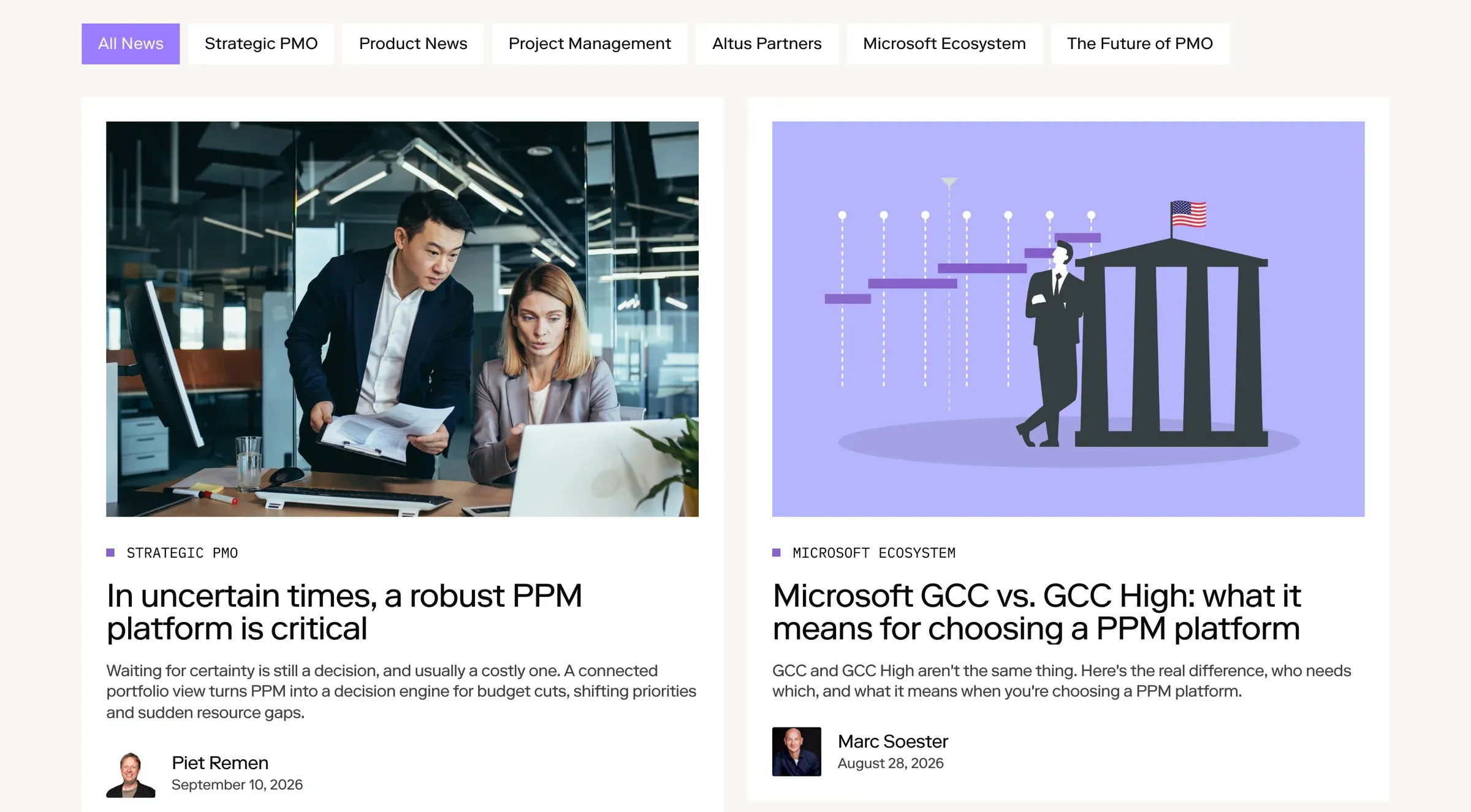
Altus’s news page, filtered by topic from its Webflow CMS. Its English site and German version under /de run on one site plan with Localize.
What Localize costs
| Essential | Advanced | |
|---|---|---|
| Per locale, billed yearly | US$9 a month | US$29 a month |
| Per locale, billed monthly | US$12 | US$35 |
| Locales you can add | Up to 3 | Up to 10 |
| AI translation | 10,000 words per locale a month | 50,000 words per locale a month |
| Translated page addresses | – | Yes |
| Automatic visitor routing | – | Yes |
From webflow.com/pricing, read 21 October 2026. Both tiers translate CMS and static content, localise SEO titles and descriptions, and serve locales in subdirectories such as /de with hreflang in the sitemap. Your primary language isn’t counted as a locale.
Three locales on Essential are US$27 a month, billed yearly. When translation words run out, AI credits can keep translating (Webflow).
What changes the bill
- Seats. Usually the line that grows. Premium with one extra designer and four marketers is US$124 a month billed yearly: US$25 for the site, US$39 for the full seat, US$60 for four limited seats.
- Bandwidth. Premium includes 50 GB a month. Add-ons start at 50 GB more for US$20 a month billed yearly, up to 2.5 TB in total. One month over costs nothing extra; two months in a row over, and Webflow upgrades the plan or add-on from the next billing month (Webflow).
- CMS items. Webflow removed its CMS item add-ons in May 2026, because Premium’s 20,000 items cover what they used to unlock.
- Billing cycle. Yearly is cheaper: Premium is US$25 a month billed yearly, or US$39 monthly. You can cancel, but you pay the rest of the term.
Sites in a Freelancer or Agency Workspace, or on pricing from 2022 or earlier, move to the May 2026 prices from 16 November 2026, at the next renewal or billable change. Switching to yearly billing before then locks in the current plan for another year (Webflow).
Team and Enterprise
Team is great for larger B2B SaaS brands with marketing teams where quite a few people are doing things on the site: writing, building campaign pages and publishing at the same time. At US$2,500 a month on an annual contract, it bundles a site, a Workspace with 10 seats and Localize, with page branching, single-page publishing and publishing workflows, so several people can work on one site without stepping on each other.
Enterprise is priced for each organisation, adding custom roles, permissions down to pages and collections, single sign-on, a 99.99% hosting uptime agreement and an account manager. For most businesses, Premium is still the right plan.
Still choosing a platform? Framer vs Webflow and Webflow vs WordPress compare the options.
Questions we get asked
Which Webflow plan is best?
Premium is the best plan for most businesses: it includes the CMS, 20,000 items and your own domain for US$25 a month billed yearly, as of 21 October 2026. Team, at US$2,500 a month, is a great fit for larger B2B SaaS brands whose marketing teams have quite a few people working on the site.
How much does Webflow cost a month?
For a marketing site with CMS content, the Premium site plan is US$25 a month billed yearly, or US$39 monthly, as of 21 October 2026. Add US$39 a month for each extra full seat, US$15 for each limited seat, and Localize from US$9 a month per locale.
Is Webflow free?
You can build on Webflow for free: the Starter plan includes two static pages and a webflow.io address. To publish on your own domain you need a paid site plan, from US$15 a month billed yearly, or US$25 with the CMS, as of October 2026.
What’s the difference between a site plan and a Workspace plan?
A site plan belongs to one site: it connects your domain and sets the site’s pages, CMS and bandwidth. A Workspace is where your team works and where seats are bought. Most marketing teams need one site plan and a few seats.
Do we need Webflow Enterprise?
Usually not. Premium covers most businesses, with 20,000 CMS items and 40 collections. Team suits larger B2B SaaS brands with several people in marketing working on the site. Enterprise is for larger organisations that need custom roles, permissions by page or collection, or single sign-on.
If you’d like help choosing a plan, or a Webflow site built for your team, see our Webflow agency work, or tell us about your site.
This guide is part of Webflow for marketing teams, which brings together everything we’ve written on choosing, building and running a Webflow site.
Sources
- Webflow, Plans & pricing, read 21 October 2026
- Webflow, Updated pricing and simplified plans for May 2026, read 21 October 2026
- Webflow, Webflow Workspace and Site plans overview
- Webflow, Do I need a Workspace plan or a Site plan?
- Webflow, Webflow Localize overview
- Webflow, Surge protection for overages