
Services
Strategy
We find the clearest path from what your business needs to what your website should do.
What’s included
- Page strategy
- Landing page strategy
- Site architecture
- Content planning
- Wireframes
- Migration planning




Branding
We shape a distinct visual identity that works on screen first and carries through everything you make.
What’s included
- Visual identity
- Brand refresh
- Colour & typography
- Moodboards & direction
- Brand guidelines
- Digital brand systems
Recent work


Design
We turn the plan into a distinct, usable design that feels right for your brand and works across every screen.
What’s included
- Website design
- UI design
- Responsive design
- Design systems
- Visual direction
- Content presentation


Development
We build fast, reliable websites in Webflow or with custom code, with the integrations each project needs.
What’s included
- Webflow development
- Custom website development
- Custom interactions
- Performance engineering
- CRM & email integrations
- Booking & payments


SEO & AI search
We make your site easy for search engines and AI assistants to find, understand and point people to.
What’s included
- Technical SEO
- AI search & AEO
- Structured data
- Answer-ready content
- Core Web Vitals
- AI crawler access
Optimisation
We keep improving what happens after launch, using real behaviour data to turn more visitors into enquiries.
What’s included
- Conversion optimisation
- A/B changes
- Landing pages
- Copy reworks
- Analytics & heatmaps
- Monthly improvements
Recent work
Latest
The newest posts, across every topic.



Design
Planning and designing websites, and the tools we use.



Development
Webflow, Astro, Claude Code, CMS choices and what builds really take.
SEO & AI search
Getting found in Google and quoted by AI assistants.



Studio
How we run projects, from proposals to launch week.



Lovable vs Webflow for a company website
Lovable or Webflow for your company website? Lovable is fast for small, hands-on teams; Webflow leads on governance for marketing teams. SEO, editing and cost.
- Written by
 Matthew Bishop
- Published
- Reading time
- 6 minutes
Lovable is very good at building quickly: describe a page, a tool or a whole site in a chat, and it writes the code and publishes it. It suits a small team that wants to test ideas fast and is comfortable reviewing changes as they go. Webflow’s biggest strength is governance: a wider marketing team can build and publish pages from approved components, each person within their own role, with review steps, a record of every change, and hosting and upkeep handled for you. For a company website, the deciding factor is usually who will run the site after launch.
We build Webflow sites for marketing teams, and sites built as code with AI assistants, including our own. Here’s how the two compare for a company website, from Lovable’s and Webflow’s own documentation.
What each one is
- Lovable is an AI app builder. You describe what you want, and it writes a full web app as code, which it can host on your own domain. New projects since 13 May 2026 use TanStack Start, a React framework that renders pages on the server (Lovable).
- Webflow is a website platform: a visual editor, a CMS and hosting in one plan. Pages are built from the site’s own components, and your team edits them in the browser.
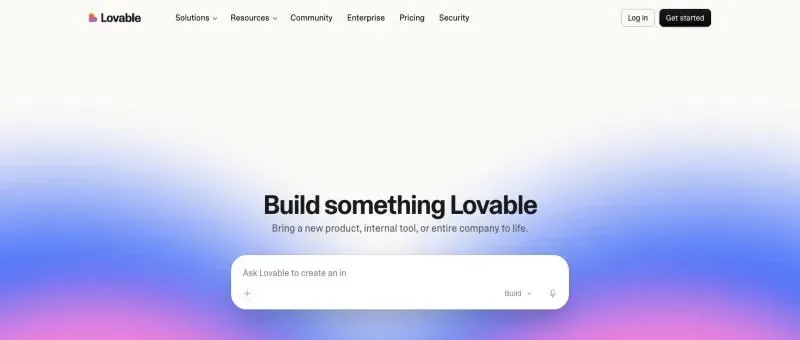
Lovable starts from a prompt: describe the site or tool, and it builds it as code. lovable.dev, 5 November 2026.
Lovable is one way of building a site as code. The wider choice, with frameworks such as Astro and assistants such as Claude Code, is in Webflow vs custom code.
How they compare
Prices are in US dollars before tax: Lovable’s from its documentation on 5 November 2026, Webflow’s from its pricing page on 11 October 2026.
| Lovable | Webflow | |
|---|---|---|
| How pages are made | Ask for them in a chat; Lovable writes the code | Built in a visual editor from the site’s components |
| Roles | Viewer, Editor, Admin and Owner; editors can publish on every plan | Roles and permissions for each person on the site |
| Review before publishing | Approval policies on Enterprise | Publishing workflows on Team and Enterprise plans |
| Record of changes | Audit logs on Enterprise | Site activity log on Team and Enterprise plans |
| Content | In the code, or a database the app connects to | Webflow’s CMS, edited by the marketing team |
| The code | Two-way sync with GitHub on every plan | Hosted by Webflow; HTML and CSS export on paid Workspace plans |
| Plan cost | Pro from US$25 a month (US$21 billed yearly), with 100 credits | From US$15 a month billed yearly, or US$25 with the CMS |
From Lovable’s plans, collaboration and GitHub docs, and webflow.com/pricing. Lovable’s credits are used up as you build, and plans go up to 10,000 credits a month. Webflow’s Team plan is US$2,500 a month on an annual contract.
Where Lovable is strong
- Speed. A landing page, a calculator or a small internal tool can go from idea to a working preview very quickly.
- Anything is possible. It’s an app builder, so logins, databases and custom tools are all in scope, not just pages.
- You can take the code with you. Lovable syncs two ways with GitHub on every plan, and repositories are private by default (Lovable). A developer can pick the code up later.
- Search engines can read it. New projects render pages on the server, and older React projects get pages pre-rendered for search and AI crawlers (Lovable).
Where Webflow is strong
- Governance for a marketing team. Writers, campaign managers and regional teams each publish within their own role. On Team and Enterprise Platform plans, marketers can work on a page branch and request review before it goes live, and every change is recorded in the activity log. In Lovable, approval policies and audit logs are Enterprise features (Lovable).
- Pages built from components. Marketers put new pages together from the site’s approved sections, so the brand holds up when ten people are publishing. Endeavour Lotteries’ team builds every campaign page from about 20 components (how that works).
- A CMS for content. The blog, case studies and resources live in Webflow’s CMS, edited by the marketing team in the same place as the pages.
- Hosting and upkeep handled. Security, SSL, backups and speed come with the plan (what Webflow maintenance involves).
Who each one suits
Lovable, like other ways of building a site as code, works best for a team that is:
- Small. One or two people who own the site and check each change.
- Close to the site. Someone with time to test every update properly.
- A little technical. Comfortable describing changes precisely, and with the occasional result that needs another go.
Webflow suits a wider marketing team, where many people publish and the company needs to know who changed what. If you’re weighing a move, ask who will be making changes in a year’s time, not just who will build the site.
Using both
It doesn’t have to be one or the other. You can keep the marketing site in Webflow and use Lovable for what sits beside it:
- Prototypes and tests, to try an idea before it becomes a page on the main site.
- Tools and apps, such as a calculator, a customer portal or an internal dashboard, on a subdomain like app.yourcompany.com.
- Campaign microsites that need something a page builder can’t do.
A subdomain is the simplest setup. Putting a Lovable app inside the main site’s address, at a path like /tools, needs a reverse proxy in front of both, which is a job for a developer.
Moving from Webflow to Lovable
Lovable can rebuild a website you own from its URL (Lovable), which gives you a starting point. A move still needs what any migration needs: the content moved, every changed URL redirected, forms and analytics reconnected, and a check of every page before launch. Our website migration SEO guide covers how to keep your rankings, and Webflow to Astro walks through a move from Webflow to code, step by step.
Questions we get asked
Is Lovable good for SEO?
It can be. Projects created since 13 May 2026 render pages on the server, so search engines and AI assistants see the full content. You still need unique titles, descriptions, redirects and real content on every page. Those depend on how the site is set up, not on the tool.
Can a marketing team edit a Lovable site?
Yes, by asking Lovable for changes in a chat, or by editing directly on the preview. It works best for one or two people who check each change. For a larger team building pages from components, with review before publishing, Webflow’s editor and roles are usually the better fit.
Who owns the code Lovable writes?
You can keep it in your own GitHub repository. Lovable syncs two ways with GitHub on every plan, so changes made in Lovable appear in GitHub and changes pushed to GitHub come back into Lovable. A developer can take the code elsewhere later.
Is Lovable cheaper than Webflow?
The plans are similar: Lovable Pro starts at US$25 a month with 100 credits, and Webflow’s CMS plan is US$25 a month billed yearly. Lovable’s cost grows with how much you build, because each change uses credits. Webflow’s grows with plan tiers, seats and add-ons.
Should we move our company website from Webflow to Lovable?
Only if a small team will run the site closely and needs things Webflow can’t do easily. If several marketers publish in Webflow every week, and governance matters, it’s usually best to stay, and use Lovable for tools and tests beside the main site.
If you’re weighing up a move, see our Webflow and custom development service, or tell us about your site.