
Services
Strategy
We find the clearest path from what your business needs to what your website should do.
What’s included
- Page strategy
- Landing page strategy
- Site architecture
- Content planning
- Wireframes
- Migration planning




Branding
We shape a distinct visual identity that works on screen first and carries through everything you make.
What’s included
- Visual identity
- Brand refresh
- Colour & typography
- Moodboards & direction
- Brand guidelines
- Digital brand systems
Recent work


Design
We turn the plan into a distinct, usable design that feels right for your brand and works across every screen.
What’s included
- Website design
- UI design
- Responsive design
- Design systems
- Visual direction
- Content presentation


Development
We build fast, reliable websites in Webflow or with custom code, with the integrations each project needs.
What’s included
- Webflow development
- Custom website development
- Custom interactions
- Performance engineering
- CRM & email integrations
- Booking & payments


SEO & AI search
We make your site easy for search engines and AI assistants to find, understand and point people to.
What’s included
- Technical SEO
- AI search & AEO
- Structured data
- Answer-ready content
- Core Web Vitals
- AI crawler access
Optimisation
We keep improving what happens after launch, using real behaviour data to turn more visitors into enquiries.
What’s included
- Conversion optimisation
- A/B changes
- Landing pages
- Copy reworks
- Analytics & heatmaps
- Monthly improvements
Recent work
Latest
The newest posts, across every topic.



Design
Planning and designing websites, and the tools we use.

Development
Webflow, Astro, Claude Code, CMS choices and what builds really take.


SEO & AI search
Getting found in Google and quoted by AI assistants.



Studio
How we run projects, from proposals to launch week.



Webflow maintenance: what support includes
Webflow maintenance explained: what Webflow looks after, what ongoing support covers, how a month of support runs, and what teams ask first.
- Written by
 Matthew Bishop
- Published
- Updated
- Reading time
- 5 minutes
Webflow support and maintenance are lighter than most teams expect, because Webflow looks after the platform itself: hosting, security, SSL and backups come with the site plan, and there are no plugins to update. So ongoing support isn’t about keeping the site alive. It’s studio time each month for the work that makes the site better: new landing pages, new components, fixes, and improvements based on how people actually use it.
What Webflow looks after for you
On a paid site plan, the jobs that fill a maintenance contract on other platforms are already done:
- Hosting and security. Webflow’s hosting is fully managed, so there’s no server to patch, scale or watch for downtime (Webflow).
- SSL. Certificates renew automatically while your domain points to Webflow (Webflow).
- Backups. Webflow saves backups as you work, and paid site plans can restore any of them, with a preview first (Webflow).
- No plugins. Nothing third-party to update, test or worry about, so an update can’t quietly break a page.
What’s left is the part that needs a person: deciding what the site should do next, and building it.
What ongoing support covers
Ongoing support is studio time you reserve each month. We agree the priorities together, track the time, and flag anything extra before we start it. Typical work includes:
- Landing pages for campaigns, products and offers, built from the site’s own components.
- New components when a page needs something the library doesn’t have yet. They join the library, so your team can reuse them.
- Fixes and updates, from a broken link to a section that needs rethinking.
- Conversion work: finding where visitors hesitate and reworking those pages, forms and calls to action.
- Search upkeep: redirects when content moves, titles and descriptions on new pages, and Search Console checked regularly (Webflow SEO).
Two things it isn’t. Hosting isn’t part of it: that’s your own Webflow plan, billed to you, so the site stays in your hands. And it isn’t a lock-in: the finished site is yours, and support can be paused or ended with 30 days’ notice.
How a month runs
The rhythm we’ve settled on with long-running clients looks like this:
- Plan the month. We agree a short list of changes, ranked by impact and effort. For Smokeball, changes were planned month by month on a shared Miro board, in the order its web team set: pricing, the home page, the AI page, features, then areas of law.
- Build on staging. Each change is designed where it needs to be, then built on staging, never straight onto the live site.
- Review it working. Every change goes to a staging link with a recorded walkthrough, so your team sees it working before customers do, and reviews it in their own time.
- Publish and check. Once it’s approved, it goes live, and we check it on the live site.
- Look at what changed. A regular check-in on what shipped and what it did, so the next month is better informed.
What teams ask for first
Once a team is running its own site, the first requests tend to look the same: new components for pages the library didn’t cover, landing pages for the next campaign, FAQ and event pages, an announcement bar, filters for a growing collection, a language selector, and an articles hub. Almost all of it is the site growing with the business rather than fixing what launched.
That’s been true across our clients:
- Smokeball: through 2024 and 2025, the monthly work included a new pricing page and home page, the navigation rebuilt from scratch, product pages, a site for its annual Spark conference, and a testimonials page run from the CMS.
- Endeavour Lotteries: a new campaign is always on the way. We meet every week and build the pages that need something new, and the marketing team builds the rest from its components.
- Fresh Clinics: since launch, the work has added pages for doctors, memberships and US states, gated resources with their own form and download pages, an events feed synced from HubSpot, and training so the team builds landing pages itself.
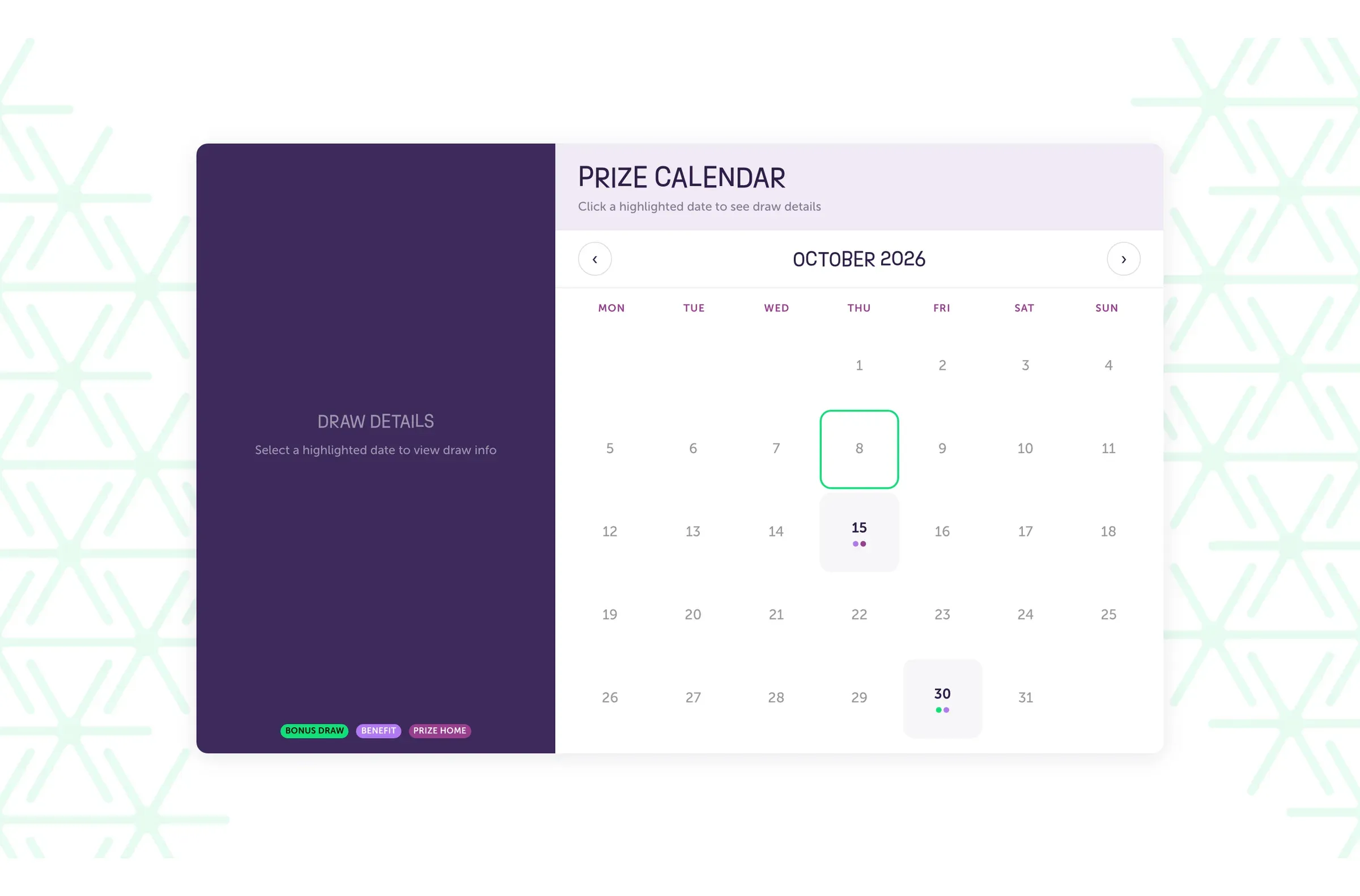
The members’ prize calendar on Endeavour Lotteries’ site, one of the pages added since launch.
Support for a site we didn’t build
Ongoing support isn’t limited to sites we built. On a site that’s new to us, we start by learning how it’s put together: its components, its CMS and how its styles are organised. Then we agree priorities in the same way. A Webflow site built with reusable components is quick to pick up; one with a lot of one-off styling usually benefits from tidying before new work goes on top.
How much support a site needs
It depends less on the site than on how fast the business moves. A team with a campaign every month needs more studio time than one that changes its site twice a year. Because the time is reserved monthly and can be paused, you can start small, see what a month of improvements looks like, and adjust from there. We plan the reserved hours together after a first call.
Questions we get asked
What does website maintenance include?
On most platforms, website maintenance means software updates, security patches, backups and uptime checks. On Webflow, the platform handles those, so maintenance is mostly content changes, fixes, new pages and search upkeep: redirects when content moves, titles on new pages and Search Console checked regularly.
Does a Webflow site need maintenance?
Much less than most platforms. Webflow handles hosting, security, SSL and backups, and there are no plugins to update. What a site still needs is someone to keep improving it: new pages, new components, fixes and search upkeep as the business changes.
Is hosting included in ongoing support?
No. Hosting is your own Webflow plan, billed to you, so the site stays in your hands. Ongoing support is studio time: the landing pages, components, fixes and improvements we make to the site each month.
Can you support a Webflow site you didn’t build?
Yes. We start by learning how the site is put together, then agree priorities with you in the same way as for sites we built. Sites built from reusable components are quickest to pick up.
Can we pause or stop ongoing support?
Yes. Ongoing support can be paused or ended with 30 days’ notice, and the finished site is yours either way.
If you’d like a hand looking after your Webflow site, see our website maintenance services, or tell us about your site.
This guide is part of Webflow for marketing teams, which brings together everything we’ve written on choosing, building and running a Webflow site.