Services
Strategy
We find the clearest path from what your business needs to what your website should do.
What’s included
- Page strategy
- Landing page strategy
- Site architecture
- Content planning
- Wireframes
- Migration planning




Branding
We shape a distinct visual identity that works on screen first and carries through everything you make.
What’s included
- Visual identity
- Brand refresh
- Colour & typography
- Moodboards & direction
- Brand guidelines
- Digital brand systems
Recent work


Design
We turn the plan into a distinct, usable design that feels right for your brand and works across every screen.
What’s included
- Website design
- UI design
- Responsive design
- Design systems
- Visual direction
- Content presentation


Development
We build fast, reliable websites in Webflow or with custom code, with the integrations each project needs.
What’s included
- Webflow development
- Custom website development
- Custom interactions
- Performance engineering
- CRM & email integrations
- Booking & payments


SEO & AI search
We make your site easy for search engines and AI assistants to find, understand and point people to.
What’s included
- Technical SEO
- AI search & AEO
- Structured data
- Answer-ready content
- Core Web Vitals
- AI crawler access
Optimisation
We keep improving what happens after launch, using real behaviour data to turn more visitors into enquiries.
What’s included
- Conversion optimisation
- A/B changes
- Landing pages
- Copy reworks
- Analytics & heatmaps
- Monthly improvements
Recent work
Latest
The newest posts, across every topic.



Design
Planning and designing websites, and the tools we use.


Development
Webflow, Astro, Claude Code, CMS choices and what builds really take.

SEO & AI search
Getting found in Google and quoted by AI assistants.



Studio
How we run projects, from proposals to launch week.



Can AI build a website? What it gets right
Can AI build a website? Yes, with limits: what AI tools do well, where AI-built sites stall, what each route costs, and when to bring in a studio.
- Written by
 Matthew Bishop
- Published
- Reading time
- 7 minutes
Yes. AI can now build a working website. Claude Code can write a whole site and launch it, and the Webflow MCP lets an assistant add pages and CMS content to a Webflow site from a chat. We built our own site, superbrick.studio, with Claude Code: five days from the first build to launch. What AI doesn’t bring is the judgement around the build: a design that doesn’t look like everyone else’s, checks on every page, form and redirect before launch, and knowing what a regulated business can’t say. Those are the places where the AI-built sites we’ve seen this year stalled.
Here’s what we’ve learned from our own build, from the people we work with, and from the teams who’ve tried it themselves and then called us.
What AI does well
- Writing a brief. Getting a client to write even a short brief used to be hard. A product designer we work with says AI now gets him fuller briefs than he used to receive.
- Prototypes. A clickable rough of an idea in an afternoon, to test with your team before anyone designs it properly.
- Building from clear rules. Given finished designs, written rules and a preview of every change, Claude Code builds quickly. The first four pages of our site took about 20 minutes (how we built it).
- Repetitive CMS work. Through the Webflow MCP, an assistant can upload posts, fill in fields and update meta descriptions. Migrations that used to take us hours now take about 10 minutes.
- Documentation. Design system notes, component states and handover guides, the tedious parts designers are glad to hand over.
Where AI-built sites stall
The design looks like everyone else’s
AI tools reach for the same layouts, gradients and type. The designer we work with can spot an interface made with Claude at a glance, and we’ve seen new healthcare brands launch with sites that look like software companies: a dark background and a green gradient.
Designing our own site with AI tools showed us the other side. We started in Paper in June and went through version after version before we had one we liked. The AI made the iterations fast, but it took a designer to know which one was right.
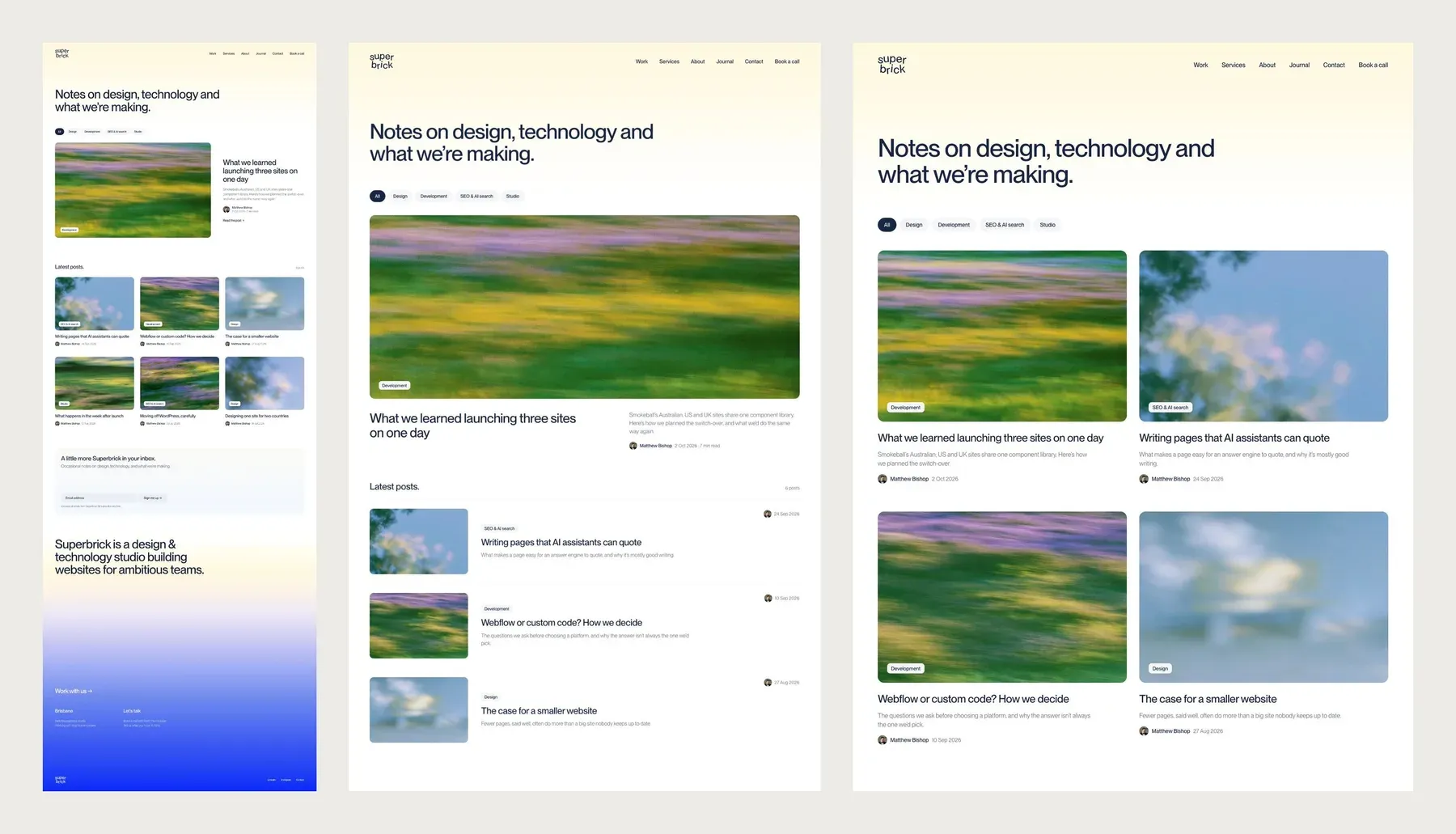
Three directions for our journal page in Paper. Making versions is quick with AI; choosing between them still takes a designer.
An AI prototype can make a worse brief
A prototype that looks finished frames the project before anyone has asked why. A designer then has to question every decision in it, which is more work than starting from a written brief. People also grow attached to what they prompted, the way flat-pack furniture you assembled feels better than it is. It’s called the IKEA effect, and it makes a weak prototype hard to let go of.
The last 30% is the hard part
One team we’d built a site for wanted a blog and case studies added. Instead of going ahead with our quote, they used the Webflow MCP. It got them about 70% of the way, then parts of it were broken, and they asked us to fix it.
The last 30% is where the work is: templates that hold up on every screen size, fields that suit how the team will write, links, search settings and testing. Fixing a half-built feature can take as long as building it.
The checks nobody asked for
Some problems only show on the finished page. On our own site, an image optimiser stripped the setting that tells an SVG how to scale, and every client logo cropped on the live site, even though each file passed a check on its own. Other things we check for on every build:
- Forms that turn away real enquiries because the server expects a field the form doesn’t ask for.
- Redirects missing for old addresses, so pages that ranked now return errors. See website migration SEO.
- Hidden CMS fields. Anything in the CMS can appear in the page source even when it’s hidden on the page, so a private link or code shouldn’t sit in a hidden field.
Rules the AI doesn’t know apply to you
Health product and clinic websites have advertising rules, from the TGA and AHPRA. An assistant will happily write “clinically proven” or add a reviews widget unless someone who knows the rules checks the page.
Do it yourself, set it up, or hire a studio
When a marketing team asks us whether they can do this themselves, we usually lay out three routes:
| Do it yourself with AI | An AI-assisted setup | A studio builds it | |
|---|---|---|---|
| What it is | You prompt Claude or the Webflow MCP on your current site | We set up the site, rules and previews, so your marketer can build pages with Claude | We design, build and launch; your team publishes from components |
| What it costs | Your time, plus a plan such as Claude Max, US$100 a month | A setup project, then the plan | From $1,500 for a landing page, and $15,000 to $25,000 for a marketing site, ex GST |
| Suits | CMS content, small changes, one-off pages | A growth marketer who wants to ship pages without waiting on a developer | A new site, a rebrand, a migration, or anything regulated |
| The risk | Breaks you don’t see until a visitor does | Low, if every change goes to a preview first | Low |
Claude Max price from Anthropic, November 2026. Studio prices are our own ranges; see how much a website costs.
The middle route is how our own site runs, and how we can set up a client’s: the code lives in GitHub, every change gets its own preview link on Vercel, and nothing goes live until someone has looked at it. If your site already works, the first step is often smaller still: tidy what’s there and fix the tracking before you build anything new.
When to use AI, and when to call someone
Use AI for briefs, prototypes, content entry, small page changes and first drafts.
Call someone for a new design or rebrand, a migration where your rankings are at stake, CRM and form integrations, health and other regulated content, and a site that’s 70% done and broken.
Questions we get asked
Can AI build a website for me?
Yes, for a simple site. Claude Code can write and launch a working site, and website builders have AI site generators. For a business site, plan on a person checking the design, forms, redirects and search setup, because that’s where AI-built sites usually break.
Can AI design a website?
It can produce a layout quickly, but AI-generated designs tend to look alike. Use it for prototypes and briefs. For a design that fits your brand and stands apart, you still need a designer, even one using AI tools. Designing our own site with AI took months of iteration and a designer’s eye.
Is it cheaper to build a website with AI?
For small jobs, often: a Claude plan costs far less than a studio. It stops being cheaper when a half-finished build needs fixing, or a migration loses rankings. Our ranges, ex GST, are $1,500 to $3,000 for a landing page and $15,000 to $25,000 for a marketing site.
Will AI replace web designers?
Not soon. It’s taking over parts of the job: first drafts, documentation, repetitive builds and CMS entry. What’s left is judgement: a design that stands apart, a structure that suits your buyers, and checking the work. The designers we work with use AI for the tedious parts, not the creative ones.
Can I use AI to update my Webflow site?
Yes. The Webflow MCP connects Claude, ChatGPT and other assistants to your site, so you can add CMS items, update pages and fix search fields from a chat. Changes follow your site’s roles and are logged. Keep it to content and existing components, and check before you publish.
If you’ve got part of the way with AI and want help finishing, see our Webflow and custom development service, or tell us about your site.