
Services
Strategy
We find the clearest path from what your business needs to what your website should do.
What’s included
- Page strategy
- Landing page strategy
- Site architecture
- Content planning
- Wireframes
- Migration planning




Branding
We shape a distinct visual identity that works on screen first and carries through everything you make.
What’s included
- Visual identity
- Brand refresh
- Colour & typography
- Moodboards & direction
- Brand guidelines
- Digital brand systems
Recent work


Design
We turn the plan into a distinct, usable design that feels right for your brand and works across every screen.
What’s included
- Website design
- UI design
- Responsive design
- Design systems
- Visual direction
- Content presentation


Development
We build fast, reliable websites in Webflow or with custom code, with the integrations each project needs.
What’s included
- Webflow development
- Custom website development
- Custom interactions
- Performance engineering
- CRM & email integrations
- Booking & payments


SEO & AI search
We make your site easy for search engines and AI assistants to find, understand and point people to.
What’s included
- Technical SEO
- AI search & AEO
- Structured data
- Answer-ready content
- Core Web Vitals
- AI crawler access
Optimisation
We keep improving what happens after launch, using real behaviour data to turn more visitors into enquiries.
What’s included
- Conversion optimisation
- A/B changes
- Landing pages
- Copy reworks
- Analytics & heatmaps
- Monthly improvements
Recent work
Latest
The newest posts, across every topic.



Design
Planning and designing websites, and the tools we use.

Development
Webflow, Astro, Claude Code, CMS choices and what builds really take.


SEO & AI search
Getting found in Google and quoted by AI assistants.



Studio
How we run projects, from proposals to launch week.



Multi-country websites: one site or several?
How to set up a multi-country or multilingual website: translated locales, regional versions or separate sites, with real examples and how to choose.
- Written by
 Matthew Bishop
- Published
- Updated
- Reading time
- 8 minutes
A multi-country or multilingual website can be set up three ways. If your markets differ mainly by language, one site with translated locales is simplest to run. If they share a language but sell differently, use regional versions of one site. If each country has its own pages, pricing and content, run separate sites on a shared component system.
The deciding question is less about technology than about who approves and publishes each version. “More than one market” covers three different set-ups, and we’ve built all three.
Three set-ups, compared
| Translated locales of one site | Regional versions of one site | Separate regional sites, shared system | |
|---|---|---|---|
| What changes by market | The language | Words, offers and some pages | Pages, pricing, content and navigation |
| Addresses | The root, plus a folder such as /de | The root, plus a folder such as /en-au | Usually a domain per country |
| Search signals | hreflang between translations | hreflang between versions | Each site’s own canonicals and titles |
| What’s shared | Everything but the words | Everything but the local content | The component library |
| Our example | Altus | Fresh Clinics, Smileyscope | Smokeball |
1. Translated locales of one site
This suits a business that sells the same thing everywhere, in another language. A week after its English site launched, Altus asked for German. We set it up with Webflow Localization: English at the root, German under /de with its own translated URLs, and hreflang tags that tell search engines which version to show. A language selector in the navigation and footer switches between English and Deutsch on any page. It went live in September 2026, once the translations were ready, and more than 100 German pages now sit alongside the English ones, managed from the same site.
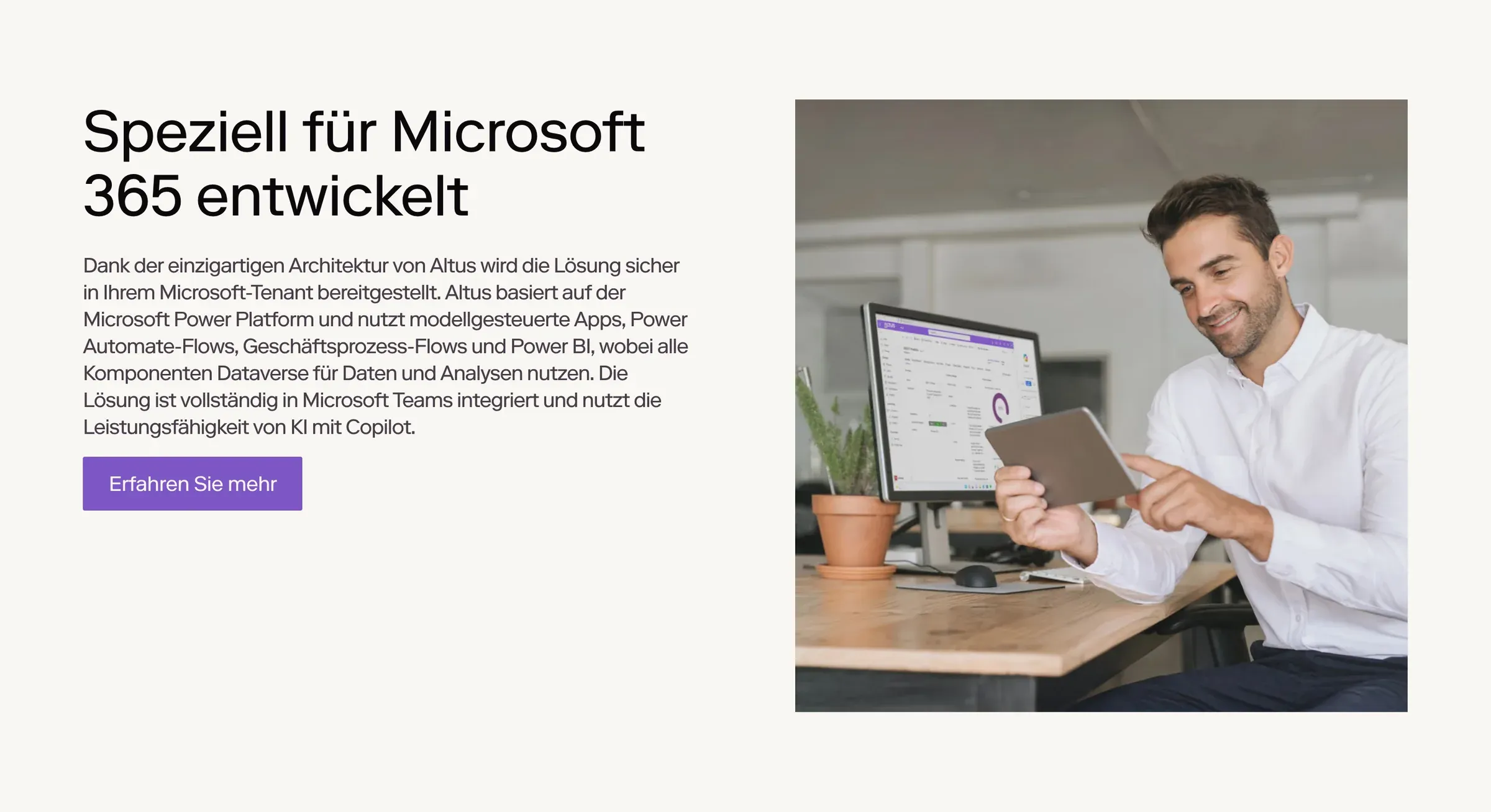
Altus in German: the same section and layout as the English site, under /de.
What to plan for:
- Translation and review. Machine translation is a first draft. We suggest a glossary of your product terms, and a fluent speaker reviewing each page before it publishes.
- Translated addresses. Decide them before launch. On Webflow, localized URLs need the Advanced Localize plan or above (Webflow).
2. Regional versions of one site
Fresh Clinics works with nurses in Australia and med spas in the US, and the two markets use different words for the same thing. It’s one Webflow site with two versions: the US at the root, Australia under /en-au, each with its own page addresses, so “start a med spa” in the US is “start a cosmetic clinic” in Australia. Visitors are sent to the right version for their country when they arrive, and if they choose the other one, the site remembers their choice. The rules differ too: in Australia, health advertising rules mean no medicines are named at all.
Smileyscope came at it from the other direction. Its old Wix site ran as two separate sites; the new one is one Webflow site with /en-au and /en-us versions, linked by hreflang tags. The US version uses American spelling, so Paediatrics becomes Pediatrics, and each country has its own privacy policy under its own law.
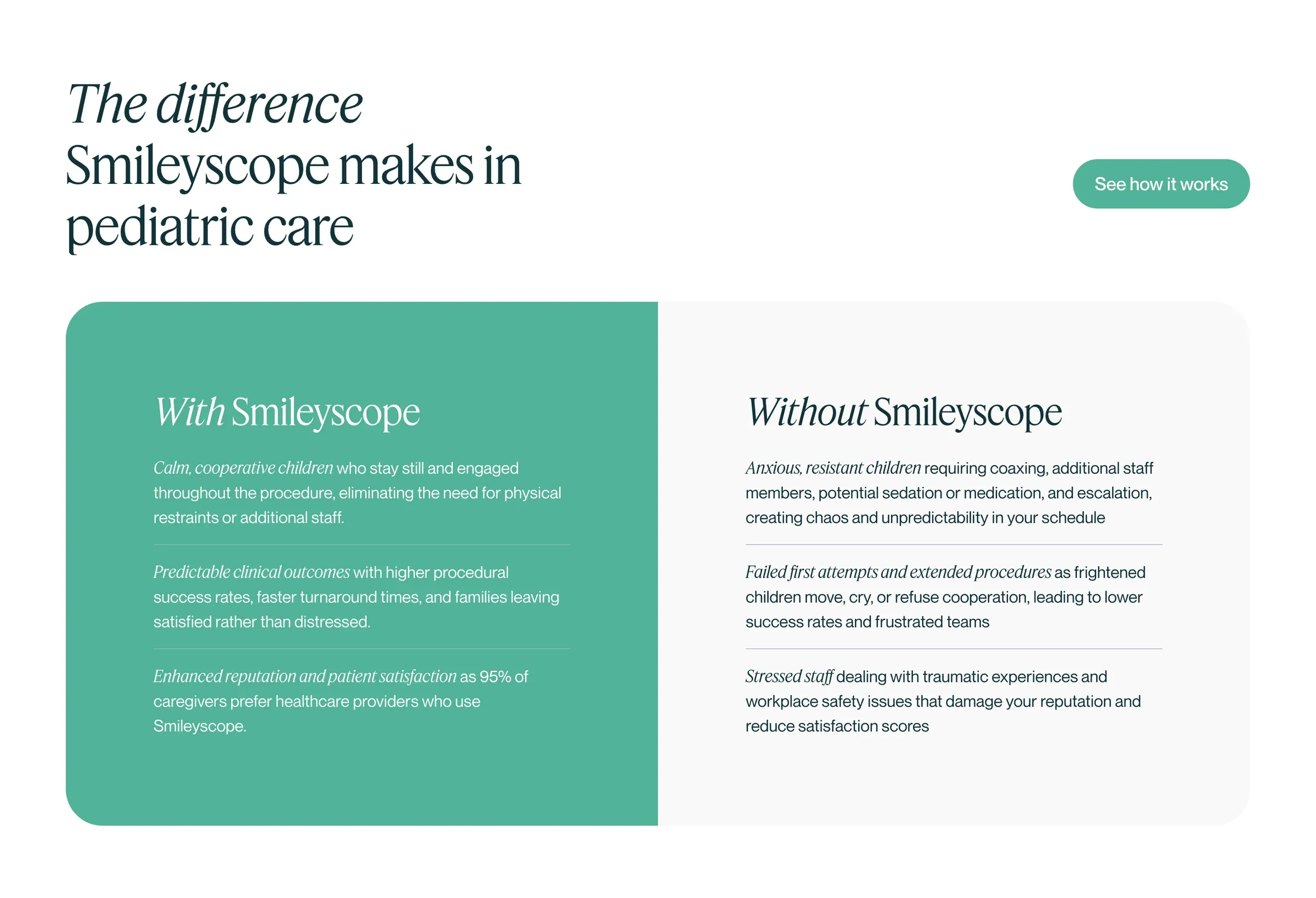
Smileyscope’s US version, spelled for American readers, from the same site as the Australian one.
What to plan for:
- Local-only pages. Decide which pages both markets share and which belong to one. Fresh has added pages for US states, for example.
- Content that flows in. Anything synced from another system needs a market. Fresh’s events are created in HubSpot and synced to the site, so each event needs a country before the site knows which version it belongs on.
3. Separate regional sites on a shared system
Smokeball sells legal practice management software in Australia, the US and the UK. Each country keeps its own pages, pricing and content, and each has its own marketing team running its own growth playbook. Keeping three sites suited the SEO migration, since each country’s site kept its own domain, and it gave each team a site of its own: running separate teams and playbooks inside one Webflow site needs the controls of Webflow’s Enterprise plans. So we rebuilt them as three Webflow sites made from one shared library of 248 components and 86 variables. We built the US site first, then used it as the base for Australia and the UK, and all three switched over on 18 August 2026 (case study). Every page declares its own canonical address and page titles name the right country, so search engines see three distinct sites, not copies of one.
What to plan for:
- Library updates. A fix built once in the library still has to reach each site. In Webflow, each site reviews and accepts library updates, and changes only go live when that site is republished.
- Three of everything else. Redirects, sitemaps, analytics and form settings are set per site. Smokeball’s Australian and UK switch-overs needed 399 and 246 redirects.
Multilingual website examples
| Site | Set-up | The detail worth copying |
|---|---|---|
| Altus | English and German, one Webflow site | German under /de with translated addresses, and a language switch on every page |
| Smileyscope | Australian and US English, one Webflow site | American spelling and a local privacy policy for the US version |
| Fresh Clinics | US and Australian versions, one Webflow site | Different words for the same service in each market, and the visitor’s choice remembered |
| Smokeball | Three regional sites on one library | Each country keeps its own domain, pricing and marketing team |
Six things to settle first
- Local approvals. Who signs off each version? A country with its own legal or regulatory rules needs its own approval step, whichever set-up you choose.
- CMS ownership. Who adds posts, events and case studies in each market, and which collections are shared?
- Form routing. Where does each country’s enquiry go? Decide which owner or pipeline each market’s forms feed, then test them from every version.
- hreflang. Each version of a page must list itself and every other version, using full addresses. If two pages don’t both point to each other, Google ignores the tags. The language code comes first: en-AU, not AU (Google).
- Regional legal pages. Privacy policies, terms and disclaimers, written for each country’s law.
- Who looks after each version. One central team, or someone in each market? This is often what decides it.
Routing visitors without trapping them
Google advises against automatically redirecting people based on a guess about their language, because it can stop visitors and search engines seeing the other versions. It suggests links to switch instead (Google), and an x-default version for visitors whose language matches none of yours (Google). Webflow’s automatic routing, on its Advanced and Enterprise plans, goes by the browser’s language preference (Webflow).
Whatever routing you use, keep a visible switch on every page and respect the choice. Smileyscope asks visitors who arrive at the wrong version to choose their region, with the option to stay. Fresh remembers when a visitor picks the other version.
What Webflow Localization costs
Localization is an add-on to the site plan, priced by the number of locales: as of 9 October 2026 it starts at US$9 a month, and localised URLs and automatic visitor routing need the Advanced tier (Webflow). Separate sites each need a site plan of their own instead. Either way, the build and ongoing translation cost more than the platform; here’s what affects the cost.
Questions we get asked
Is one site or separate sites better for SEO?
Neither is better by default. Both work when search engines can tell the versions apart: hreflang between the versions of one site, or separate sites with their own canonicals and country-specific titles. Near-identical pages with no signals leave search engines guessing.
Do Australian and US English versions need hreflang?
Yes, if both versions cover the same pages. Tags such as en-AU and en-US tell Google which version suits which searcher. Both pages must point to each other, or the tags are ignored.
Can we start with one site and split it later?
Yes, but it’s real work: new addresses, redirects and search signals for every page that moves. Smileyscope went the other way, from two Wix sites to one Webflow site. Choose for how your teams will work in a few years, not just at launch.
How much work is a second language?
More after launch than before. Altus asked for German in July and it went live in September, once translations were ready. After that, every new page and post needs translating and checking, so decide who does it before adding the locale.
How do you do SEO for a multilingual or multi-country website?
Give each country or language its own addresses, use hreflang tags so search engines show the right version, write titles and content for each market, and link between versions rather than redirecting visitors automatically. Webflow Localize adds hreflang and localised sitemaps for you.
How do you create a multilingual website?
Decide the languages and which pages each needs, then translate them on one site rather than building copies. In Webflow, Localize adds each language as a locale with its own addresses, and you can translate with AI and have a fluent reviewer check it. Altus added German this way.
If you’re weighing this up, tell us how your teams work and we’ll recommend a set-up. The Altus, Fresh Clinics, Smileyscope and Smokeball case studies have the full stories.
This guide is part of Webflow for marketing teams, which brings together everything we’ve written on choosing, building and running a Webflow site.