
Services
Strategy
We find the clearest path from what your business needs to what your website should do.
What’s included
- Page strategy
- Landing page strategy
- Site architecture
- Content planning
- Wireframes
- Migration planning




Branding
We shape a distinct visual identity that works on screen first and carries through everything you make.
What’s included
- Visual identity
- Brand refresh
- Colour & typography
- Moodboards & direction
- Brand guidelines
- Digital brand systems
Recent work


Design
We turn the plan into a distinct, usable design that feels right for your brand and works across every screen.
What’s included
- Website design
- UI design
- Responsive design
- Design systems
- Visual direction
- Content presentation


Development
We build fast, reliable websites in Webflow or with custom code, with the integrations each project needs.
What’s included
- Webflow development
- Custom website development
- Custom interactions
- Performance engineering
- CRM & email integrations
- Booking & payments


SEO & AI search
We make your site easy for search engines and AI assistants to find, understand and point people to.
What’s included
- Technical SEO
- AI search & AEO
- Structured data
- Answer-ready content
- Core Web Vitals
- AI crawler access
Optimisation
We keep improving what happens after launch, using real behaviour data to turn more visitors into enquiries.
What’s included
- Conversion optimisation
- A/B changes
- Landing pages
- Copy reworks
- Analytics & heatmaps
- Monthly improvements
Recent work
Latest
The newest posts, across every topic.



Design
Planning and designing websites, and the tools we use.



Development
Webflow, Astro, Claude Code, CMS choices and what builds really take.

SEO & AI search
Getting found in Google and quoted by AI assistants.


Studio
How we run projects, from proposals to launch week.



How to build a website with Astro
How to build a website with Astro, step by step, from our own site: setup, components, content, SEO, forms and previews, and when moving to Astro pays off.
- Written by
 Matthew Bishop
- Published
- Reading time
- 7 minutes
To build a website with Astro, create a project with npm create astro@latest, build your pages from a layout and reusable components, keep content such as blog posts in a content collection, connect a CMS if people outside the code will edit, and deploy from GitHub to a host that gives you a preview of every change. Astro sends plain HTML, with JavaScript only where you add it, which is why it suits marketing sites. We built our own site this way: from the first build to live on its domain took five days.
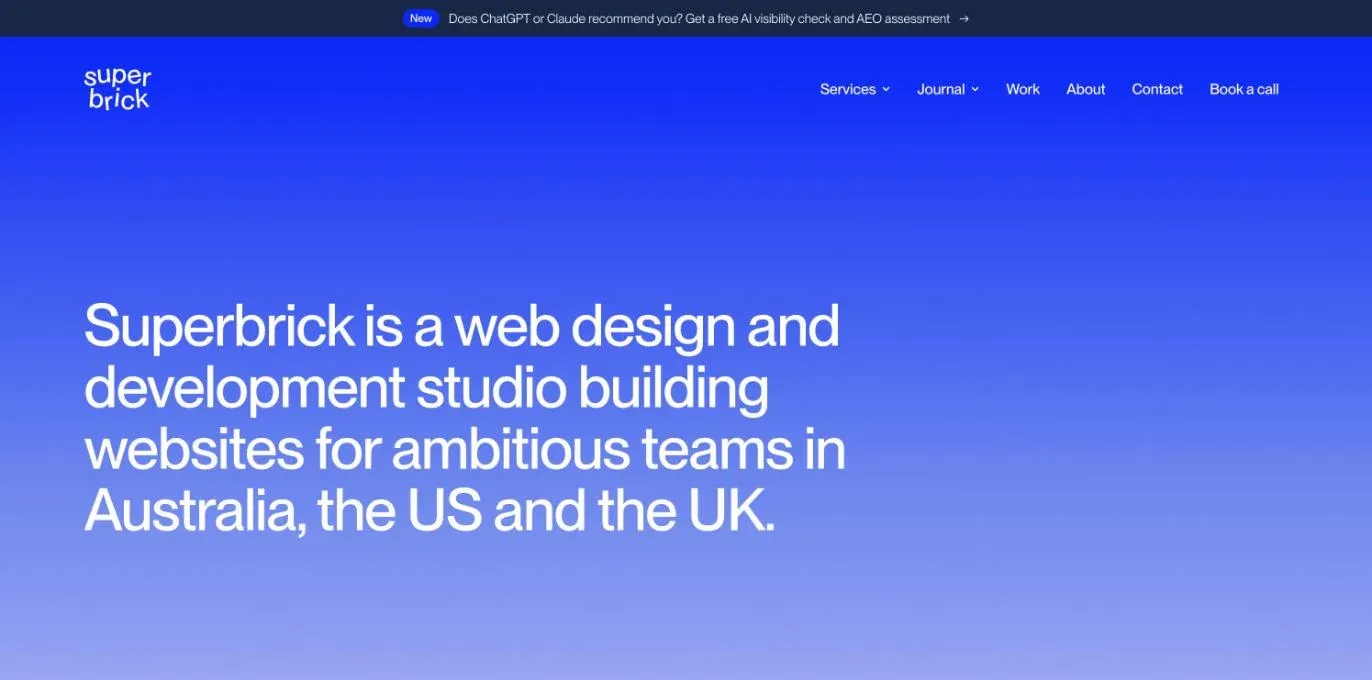
Our home page. The whole site is built with Astro and hosted on Vercel, and every change is checked on a preview before it goes live.
Why teams move to Astro
Astro is a good move when your site needs things a page builder makes hard, or when changes already go through a developer or an AI assistant. It’s free and MIT-licensed, and since January 2026 its core team has worked at Cloudflare; Astro says it still supports a wide set of hosts, not just Cloudflare (Astro).
The trade-off we weigh on every project is setup against iteration. Webflow is quick to set up and slower to change in bulk. A site built as code is the opposite: it takes longer to set up, then changes across hundreds of pages are quick.
| Moving from | Why Astro can be a good move | When to stay |
|---|---|---|
| WordPress | No plugins or PHP to keep patching, and pages that are plain HTML rather than themes carrying plugin code | The site depends on plugins nothing else replaces, or WordPress developers look after it well |
| Framer | Full control of the code, any host, and tools such as calculators built into the site | Your designers want to keep building and publishing pages on a canvas |
| Webflow | Bulk changes across the site, custom features, and edits made by an AI assistant and checked on a preview | Your marketing team builds and publishes pages in Webflow itself, as most of our clients do |
It doesn’t have to be all or nothing. Webflow Cloud hosts Next.js and Astro apps alongside a Webflow site, so a custom tool can sit on the same domain as pages your team edits visually (Webflow).
Generate is one move we’ve made. We built its Webflow site in 2024. In 2026 we designed a new one in Paper and built it with Astro and Tailwind on Vercel, so the team could change the site themselves instead of waiting on us. Its blog and Summit speakers live in Sanity, and every change shows on a preview first.
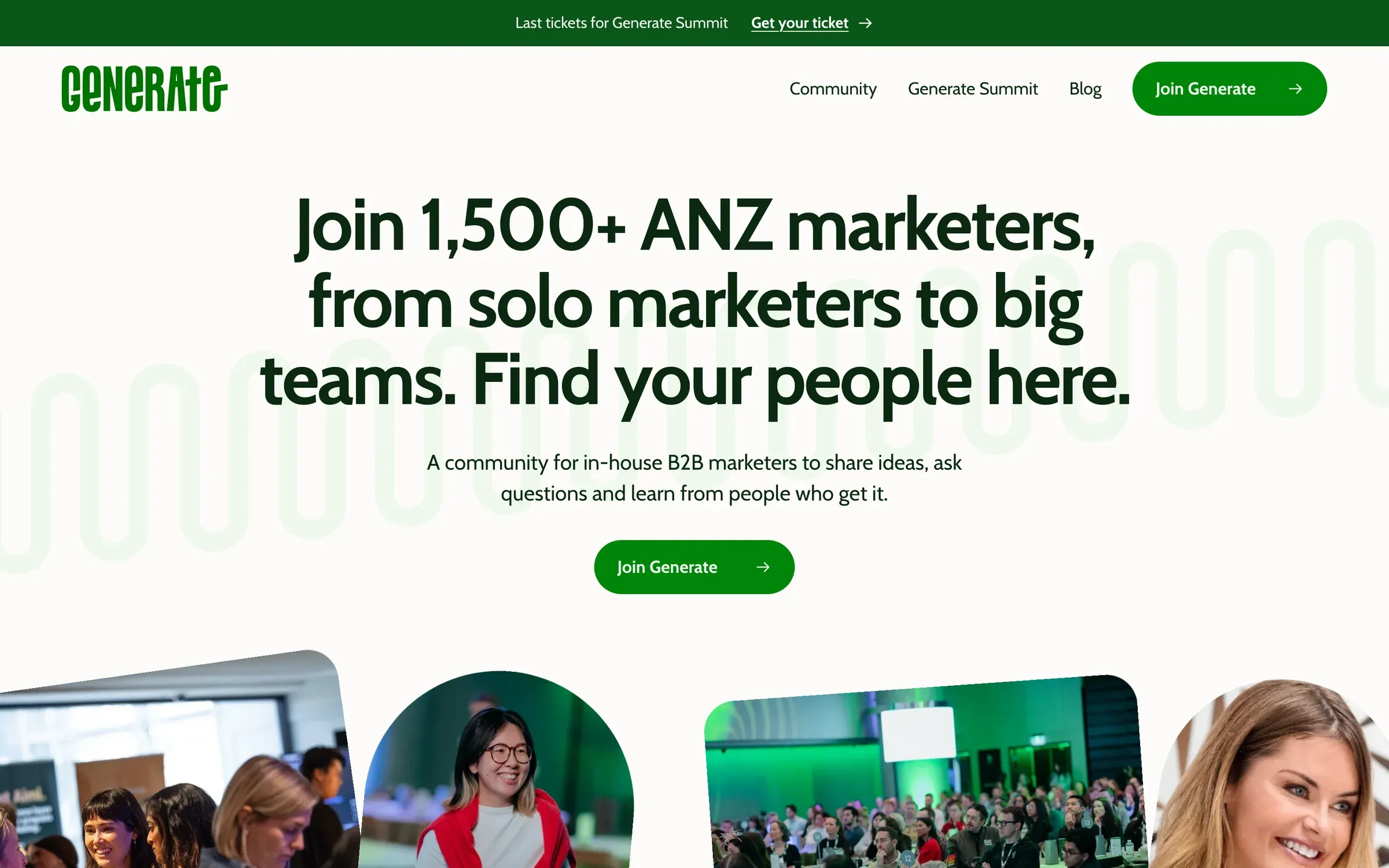
Generate’s new site, built with Astro and Tailwind.
What you’ll need
| Job | What we use |
|---|---|
| Framework | Astro 7, building static pages |
| Runtime | Node.js, an even-numbered release at or above the minimum in Astro’s docs |
| Code and history | GitHub |
| Building | A code editor, or Claude Code |
| Hosting and previews | Vercel (Netlify and Cloudflare work too) |
| Content editing | Markdown files, or a headless CMS such as Sanity |
1. Create the project
Run npm create astro@latest and follow the prompts to set up the project and a starter page (Astro). Every file in src/pages becomes a page at the matching URL. Put the code on GitHub from day one, so every change has a history you can roll back.
2. Build sections, not pages
Make one layout with the page head, header and footer, then build each section of the design as a reusable component. Our site has about 20 section components, such as a page hero, FAQs, client cards and a call-to-action band, so a new service page is mostly a matter of choosing and filling them.
Astro components render to HTML when the site builds. Add JavaScript only to the parts that need it, which Astro calls islands. It also works with React, Vue, Svelte and other frameworks if you need one (Astro).
3. Put content in content collections
Define a collection in src/content.config.ts with a schema. Astro then checks every entry when the site builds and gives you typed data to query with getCollection() (Astro).
Our journal is one collection. Each post is a Markdown file, and its title, description, topic, dates and cover are checked against the schema, so a post with a missing date stops the build instead of going live broken. The journal list, the bylines, the sitemap dates and the structured data all come from those same fields.
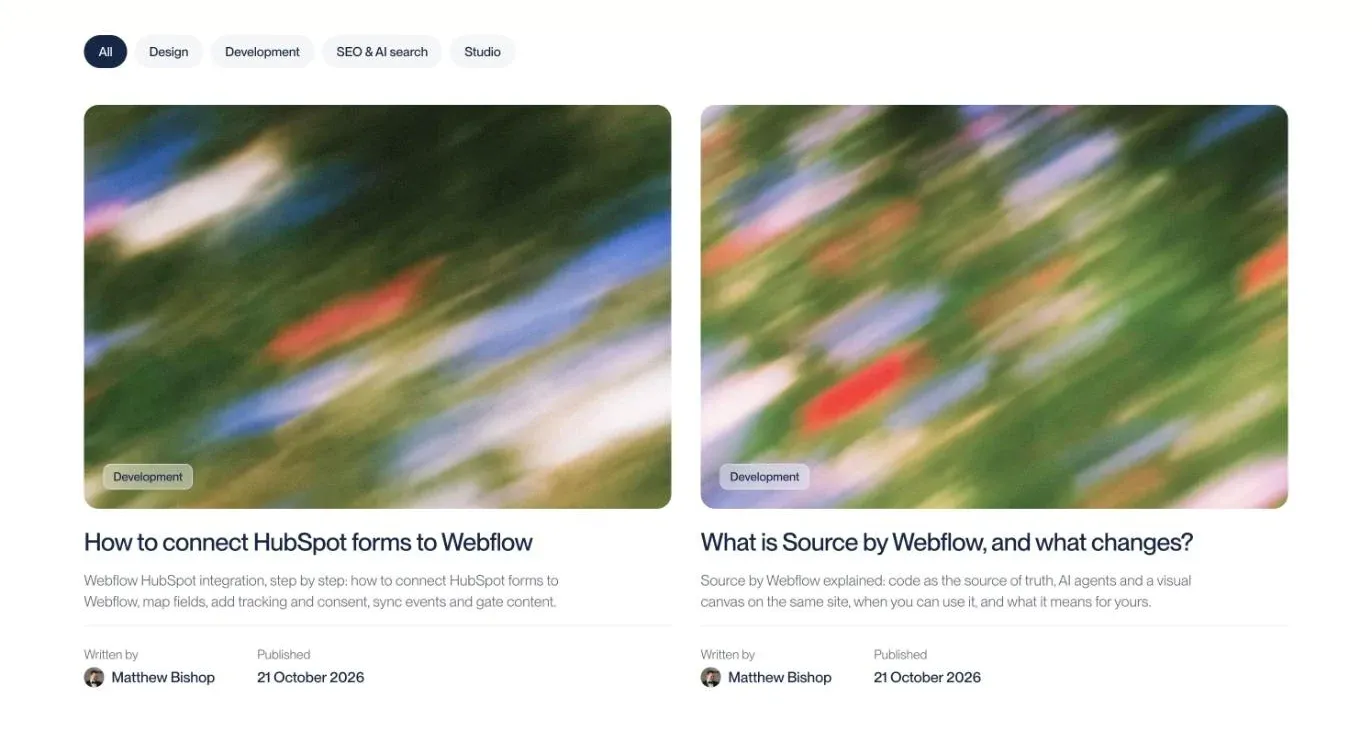
Our journal. Each card is a Markdown file in one content collection; the topic, author and date come from the file’s front matter.
4. Add a CMS if your team edits
If people outside the code will edit content, connect a headless CMS. We use Sanity on client sites, including Generate’s. We trialled Sanity and Keystatic on our own site and went back to Markdown files, because our changes come through code anyway. We compare the options in the best CMS for Astro.
5. Handle images and fonts
Keep images in src and use Astro’s <Image /> component. It resizes and converts them when the site builds, and sets their width and height so the page doesn’t jump while they load (Astro). Files in public are served exactly as they are, which suits favicons and files that need a fixed address.
6. Set up SEO
Astro gives you clean HTML. The rest you build once and every page inherits it:
- Titles, descriptions and canonicals on every page, set from one SEO component.
- A sitemap from Astro’s sitemap integration. Ours gives journal posts their real published or updated date, because a date that changes on every deploy teaches search engines to ignore it.
- Structured data for the organisation, services, posts and FAQs.
- An llms.txt file for AI tools. We keep ours by hand, and a fuller llms-full.txt is written from the finished pages after every build, so it never drifts from what’s published.
- IndexNow. Our production builds tell Bing about posts published or updated in the past week.
- Redirects in your host’s config, if you’re replacing an older site (website migration SEO).
On launch day our site scored 100 for SEO and best practices in Lighthouse, and 95 to 100 for performance on mobile.
7. Add forms and anything dynamic
A static site still needs forms. Ours posts to a small Vercel function that sends the enquiry through Resend. The question bar at the bottom of every page is another function, answering from the site’s own text. A static Astro site needs no adapter on Vercel; add one only for pages that must be built on request (Astro).
8. Deploy with previews
Connect the GitHub repository to your host. On Vercel, a push to any branch other than main becomes a preview deployment, and changes merged into main go live (Astro). Review every change on its preview before it reaches main. That’s how we, and Generate’s team, work.
Questions we get asked
Is Astro like WordPress?
No. WordPress is a content management system with a database, themes and plugins, edited in the browser. Astro is a framework for building sites as code, which outputs fast HTML pages. To edit content without touching code, you connect a CMS such as Sanity to it, or keep content in Markdown files.
Is Astro SEO friendly?
Yes. Astro sends plain HTML with little or no JavaScript, so pages load fast and are easy for search engines and AI crawlers to read. You still set up titles, canonicals, a sitemap, structured data and redirects yourself. Our own Astro site scored 100 for SEO in Lighthouse on launch day.
What is an Astro-based website?
It’s a site built with the Astro framework: pages are written as components and content files, then built into plain HTML that loads quickly, with JavaScript only on the parts that need it. Astro is designed for content-rich sites, such as marketing sites, blogs and documentation.
What are some websites that use Astro?
Our own site, superbrick.studio, and Generate’s community site are both built with Astro. Astro’s showcase lists many more, from company sites to documentation.
If you’re weighing a move to Astro, or want a site built as code, see our Webflow and custom development service, or tell us about your site.